For dealers5 min read
How to use WeltScout: set up a used car search alert
- Author
- Luka Velkavrh
- Edited by
- WeltScout editorial team
- Published
- Updated
In short
In WeltScout you save a vehicle search once, run it across 50+ portals in 14 countries and get an alert by WhatsApp or e-mail when new listings appear. This guide follows the app from registration to the results list and is written for dealers. The app interface is in English for now. As of October 2026.
Contents
Register and choose the account type
You can register with a Google account or with your name, e-mail address and password. The first screens ask for the account type: Personal car search for your own car, or Professional sourcing for a dealership. The professional path adds one step with the name of your dealership.
The trial lasts 7 days, needs no card and has no limits.
Create a search in three steps
Open Searches, press + New Search and work through the three steps. The labels below are the English ones you see in the app.
| Step | What you see | What you enter |
|---|---|---|
| 1. Choose car details | Basic properties (Quick Search) | Brand, Model, Year From, Mileage Up To (km), Price Up To, Drive and a Search Title. The title fills in from brand and model, and you can overwrite it. Show All Search Options opens more filters: fuel, vehicle type, transmission, year, price, kilometres, power, damaged or not, seller type (dealer or private), colour and 135 equipment items. |
| 2. Choose customer | Who is this search for? | Business inventory for your own stock, or For a client for a customer. The client option is marked Pro and is locked in the trial. |
| 3. Choose platform and create search | A grid of portals | Tick the portals to search, then choose whether the search repeats automatically or runs once, and press Create search. A green message, Successfully created search!, confirms it. |
If a portal you need is missing, use Suggest platforms under the grid. New portals are usually added within 4 to 7 business days.
Keep the filters narrow enough to read the results
A broad search returns thousands of listings, so add filters until the list is one you can review in a sitting. In a WeltScout test search on 17 October 2026 (Škoda Octavia, up to 150,000 km, up to 20,000 EUR, three portals in Croatia, Germany and Austria) the app finished with 2,960 results after roughly a minute. Filters such as fuel, year or transmission narrow it further.
The app shows a strength meter for each search; in our test it read "15 % Weak" and asks for at least two filters. How tight to go depends on the situation.
| Situation | Filters to add | Watch out for |
|---|---|---|
| You know the exact car (for example diesel estate, 2021 or newer, limited mileage) | Year, fuel, vehicle type, mileage and price | Very strict combinations can leave you with no results. |
| You buy several identical cars for stock | Brand, model, year range, mileage, transmission, seller type | Create one search per model, not one broad search for all. |
| You are exploring the market | Brand, model and price only | Expect a long list and sort it by price or year. |
| You look for a rare or classic model | Brand and model | Strict filters can remove every result. |
Read the results and see what is new
While a search runs, each portal card moves from Queued to a running count (found…) and then to a finished count with a tick. Open the search to reach the results list.
- The tabs All and Unread separate everything from what you have not seen yet.
- Sort by date (the default), price, year, mileage or power.
- Narrow the list by price range, year, mileage, power or site.
- Each row shows the title, year, mileage, power, price and a View button. The heart saves a listing to your favourites.
The Searches list shows each search as a card with the number of unread listings, results and sites, and the time of the last run. The countdown Refreshing in … tells you when the next check is due. Searches are marked Recurring or One-time.
Set up alerts
When you sign up, you choose how to be notified: WhatsApp, e-mail or not at all. WhatsApp alerts are included in every plan. How often new listings are checked depends on the plan: once a day, or twice a day. The app previews the message with a line such as "We've found 3 new cars for "Volkswagen" search".
Manage customers and several searches
The Clients section lists your customers with name, e-mail, company and phone number, and you can add one with New client. Searches are linked to a client. On a phone, the bottom bar gives you Searches, Clients, Favourites, Notifications and Profile.
What this means for a dealer
Treat each search as a standing order for one kind of car. Write a clear Search Title, keep one search per model you need and use Unread as your daily to-do list. Plans start at 129.90 EUR per month excluding VAT for Business, and the price is per user, so each salesperson needs a licence. See the WeltScout page for the current plans and to start the trial.
Questions about using WeltScout
Is the app available in my language?
The app is in English for now. Support answers in the languages of this site.
How often are new listings checked?
Once or twice a day, depending on the plan. The trial checks twice a day.
Can I add a portal that is missing?
Yes. Use Suggest platforms in step 3. New portals are usually added within 4 to 7 business days.
Do I need a card for the trial?
No. The trial lasts 7 days, needs no card and has no limits.
Is there a version for private buyers?
Registration asks whether you search for your own car or for a dealership. The plans described on this site are for dealers.
Sources
- WeltScout app: registration, search, results and alerts WeltScout d.o.o.,
Updates
- : Moved from the old site and rewritten to the new standard.
Searching several portals at once?
7 days freeNo card needed
Read next
For dealers and buyers7 min read
Buy a used car from Germany and import it to Serbia: customs, VAT, Euro 3
What you pay and which papers you need to bring a used car from Germany to Serbia: customs duty, VAT, Euro 3 and registration. Official sources read 28 October 2026.
For dealers5 min read
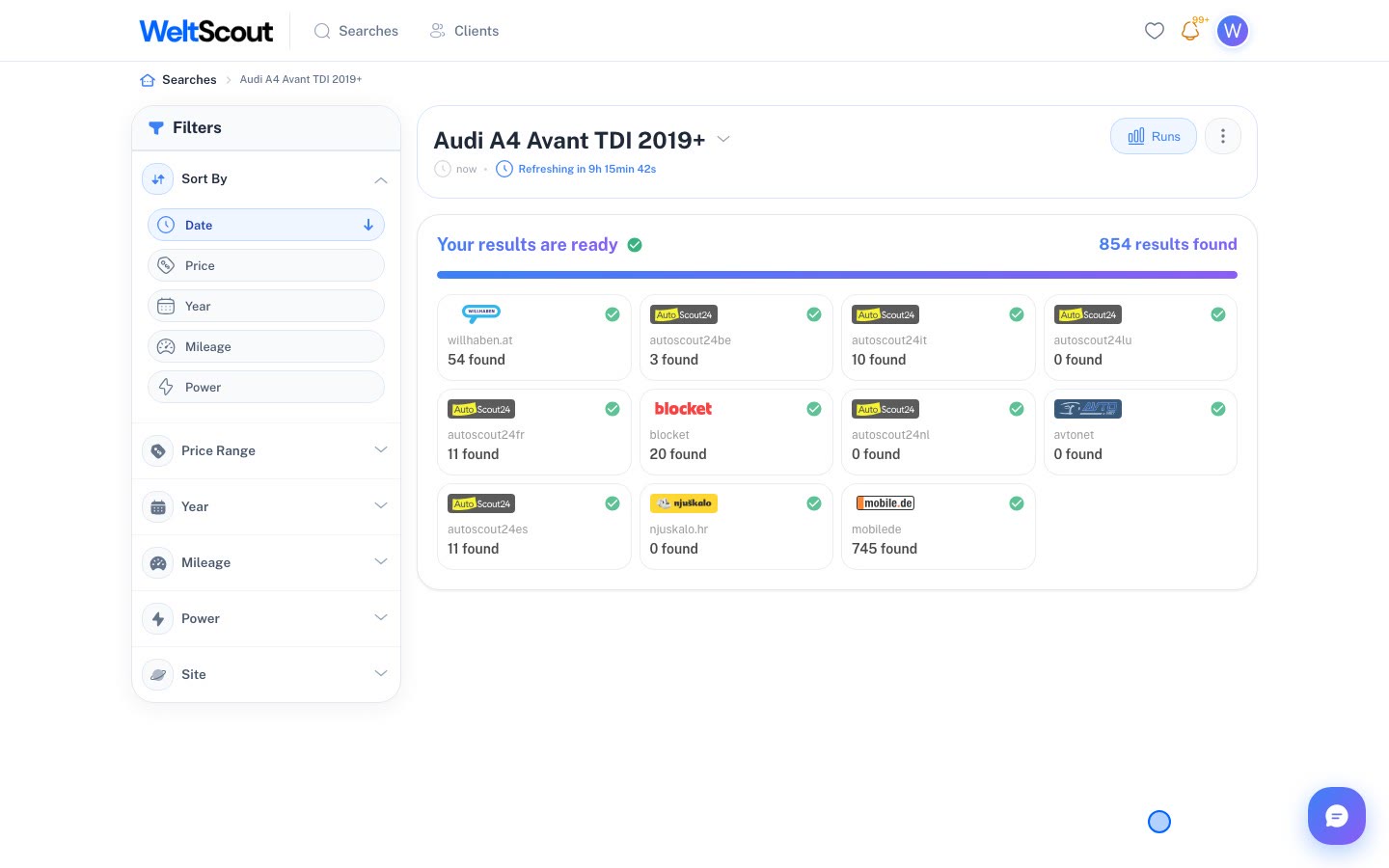
One search, 11 portals: what an Audi A4 Avant returns
One search for the Audi A4 Avant on 11 portals in 11 countries: 854 matches, the count per portal, four example prices and the limits of the data. As of 27.10.2026.
For dealers and buyers5 min read
Buy a used car from Germany and import it to Slovenia: tax, plates, registration
What you pay and which papers you need to bring a used car from Germany to Slovenia: VAT, DMV, plates, conformity and registration. Sources read 28 October 2026.